How to limit the YouTube home feed to 15 videos (stop infinite scroll)
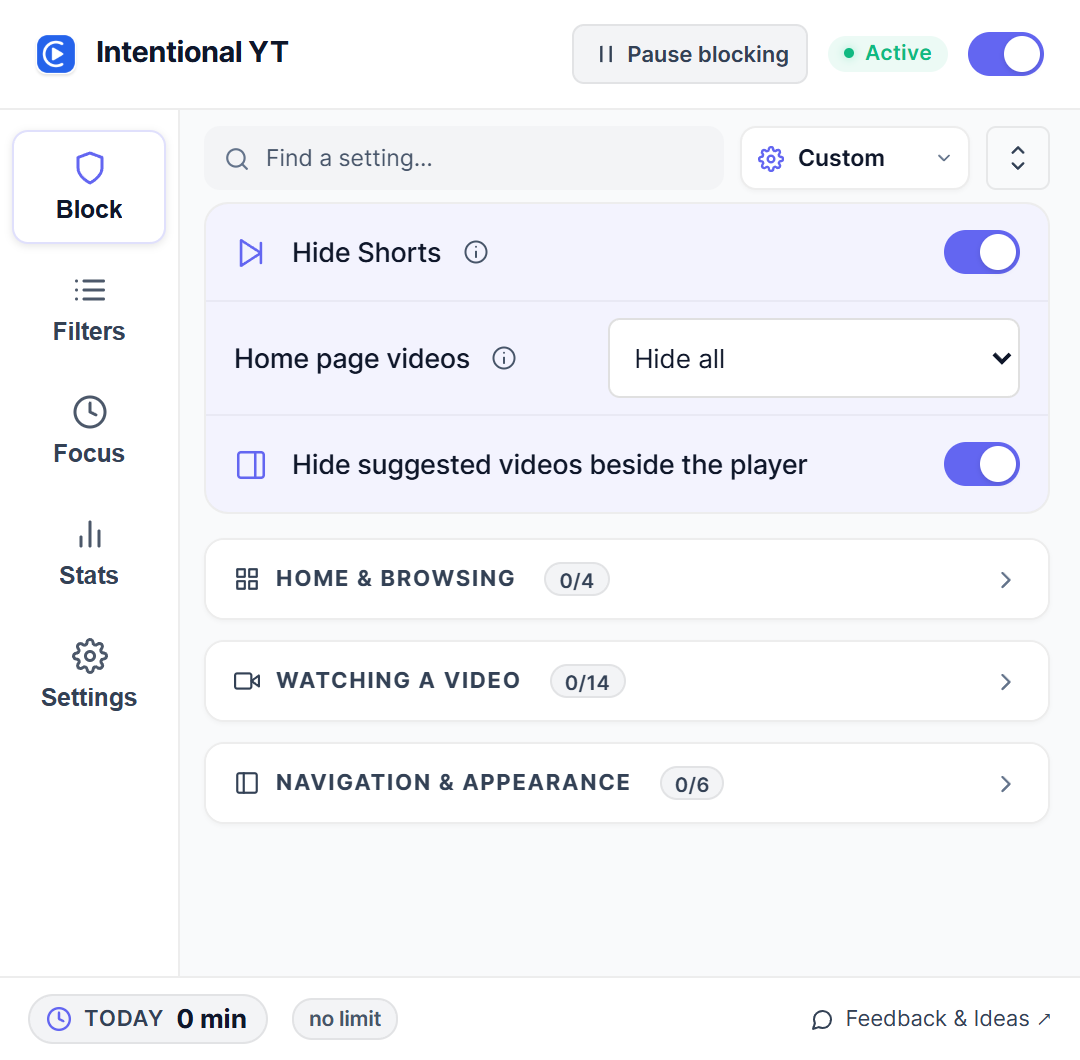
If you want to check what's new on YouTube without getting trapped in a multi-hour scroll, open Intentional YT and select Limit Home Feed (15 Videos). The extension loads 15 videos on your homepage, shuts off infinite scroll, and shows an end marker: ✦ You're all caught up • Feed limit active.
I'm Manas, the developer. Here's how to turn it on in desktop Chrome, Firefox, or Edge, and how the extension stops YouTube from loading more rows.
Why 15 videos instead of hiding the feed completely?
Most distraction blockers, including Unhook and DF Tube, take an all-or-nothing approach: leave YouTube's infinite scroll running, or hide the homepage entirely.
Hiding the whole homepage works, but it can feel too blunt. You might still want to check fresh uploads from your subscriptions or watch a couple of videos during lunch. When the homepage is completely blank, the temptation is to toggle the whole extension off just to browse, and once it's off, you're right back in the infinite feed.
Capping the feed gives you a natural stopping point. You get a single batch of 15 recommendations. When you reach the bottom, the page stops fetching new content.
Set a 15-video feed limit in Chrome, Firefox, or Edge
- Install Intentional YT in your desktop browser and open YouTube (reload the tab if it's already open).
- Open the extension popup from your browser toolbar.
- Under Feeds & Distractions, find the Home Feed section.
- Select Limit to 15 Videos (or switch on Limit home feed (anti-doomscroll)).
- Reload the YouTube tab.
When you scroll down, the feed ends after the 15th video card. Instead of a spinning loader or another wave of algorithmic recommendations, you'll see a clean footer:
✦ You're all caught up • Feed limit active
How the feed limit works
Under the hood, the limiter works in two stages.
First, CSS applied before the page renders hides any video card past the 15th slot (:nth-of-type(n+16)). That prevents extra cards from flashing on screen while YouTube draws the page.
Next, YouTube relies on DOM elements named ytd-continuation-item-renderer and #continuation at the bottom of the feed to trigger background network requests for more rows. Once Intentional YT detects 15 videos in the container, it marks the feed and hides those continuation triggers. YouTube stops requesting subsequent pages, saving memory and keeping background network traffic quiet.
On ultra-wide monitors where YouTube only requests 4 or 8 cards initially, the extension lightly nudges the scroll container to ask YouTube for the remaining cards up to 15 before locking the feed.
Home feed options compared
| Option | What you see | Infinite scroll | Good for |
|---|---|---|---|
| Default YouTube | Endless videos | Runs continuously | Casual browsing |
| Hide Home Feed | Blank page | Disabled | Strict work sessions |
| Limit to 15 Videos | First 15 cards | Stops after 15 cards | Quick check-ins without doomscrolling |
Other settings to keep your feed quiet
A few complementary settings help keep recommendations under control:
- Add unwanted creators to your Channel Blocklist under Filters if they still show up in your 15 recommendations.
- Add specific topics or tropes to your Keyword Blocklist to filter them out by title.
- Set a daily YouTube watch limit if you want playback to pause after 30 or 45 minutes of total viewing.
- To clean up remaining shelves, check the guide to hiding Shorts and recommendations.
Frequently asked questions
Can I set the limit to a number other than 15?
The limit is set to 15 cards. That number divides evenly into 3, 4, and 5-column desktop layouts, which keeps YouTube's grid aligned without awkward blank slots.
What happens if both "Hide Home Feed" and "Limit Home Feed" are selected?
The extension prioritizes complete hiding. If you select Hide Home Feed, the homepage stays blank. If you choose Limit Home Feed, it displays the 15-video batch.
Does this work on mobile?
No. Intentional YT runs in desktop browsers such as Chrome, Firefox, Edge, and Brave. It has no effect on YouTube's mobile apps.
Why do I see fewer than 15 videos?
If you have active entries in your Channel Blocklist or Keyword Blocklist, matching videos within the 15-item batch are hidden. The extension doesn't pull down extra videos to replace blocked ones.
If YouTube updates its layout and the feed limit behaves unexpectedly, send feedback with your browser and extension version. You can also test these controls directly in the interactive demo on the homepage.

Try Intentional YT
Set a daily watch limit, hide distracting feeds, or use Focus Lock to add a cooldown before changing your settings. Your settings and watch-time counters stay in your browser, with no extension telemetry.