How to password-lock your YouTube blocker extension (Focus Lock guide)
Distraction blockers like Unhook, DF Tube, or UnTrap share a common problem: turning them off takes two clicks. When you are tired or trying to avoid difficult work, it is too easy to open the extension popup, flip the toggle off, and start watching recommended videos again.
To add friction when self-control dips, Intentional YT includes Focus Lock. It lets you lock your settings behind a PIN and a mandatory cooldown timer.
I'm Manas, the developer. Here's how Focus Lock works in desktop Chrome, Firefox, and Edge, and why pairing a PIN with a delay makes it harder to bypass your own rules.
Why blockers need more than a simple password
Most blockers assume you will always have the discipline to keep them turned on. In practice, willpower varies throughout the day. When you hit an afternoon slump or stay up late, you can turn off standard blockers in a couple of seconds without thinking.
Even adding a password doesn't completely fix this if you know the password yourself. Entering a four-digit code only takes a moment.
Focus Lock pairs a PIN with a cooldown delay (such as 10 or 15 minutes). When you try to turn off a protection or raise a daily limit, you enter your PIN, but the setting does not change right away. You have to wait out the timer first.
The delay is what breaks the habit loop. The impulse to open YouTube and wander usually fades within five or ten minutes. By introducing a mandatory waiting period, the urge passes before the settings unlock, giving you time to get back to what you were doing.
How Focus Lock works
When you enable Focus Lock, you choose a 4 to 8-digit PIN and a cooldown period between 5 and 60 minutes.
Relaxing any protection (like restoring the home feed, unblocking Shorts, or raising your daily watch limit) requires entering your PIN and waiting for the cooldown timer to expire.
Tightening protections works differently: you can always hide feeds, add blocked channels, or lower your watch budget immediately without entering a PIN.
In addition, Focus Lock hides the Dismiss for today button on the daily limit screen, preventing you from clicking past your watch budget when time runs out.
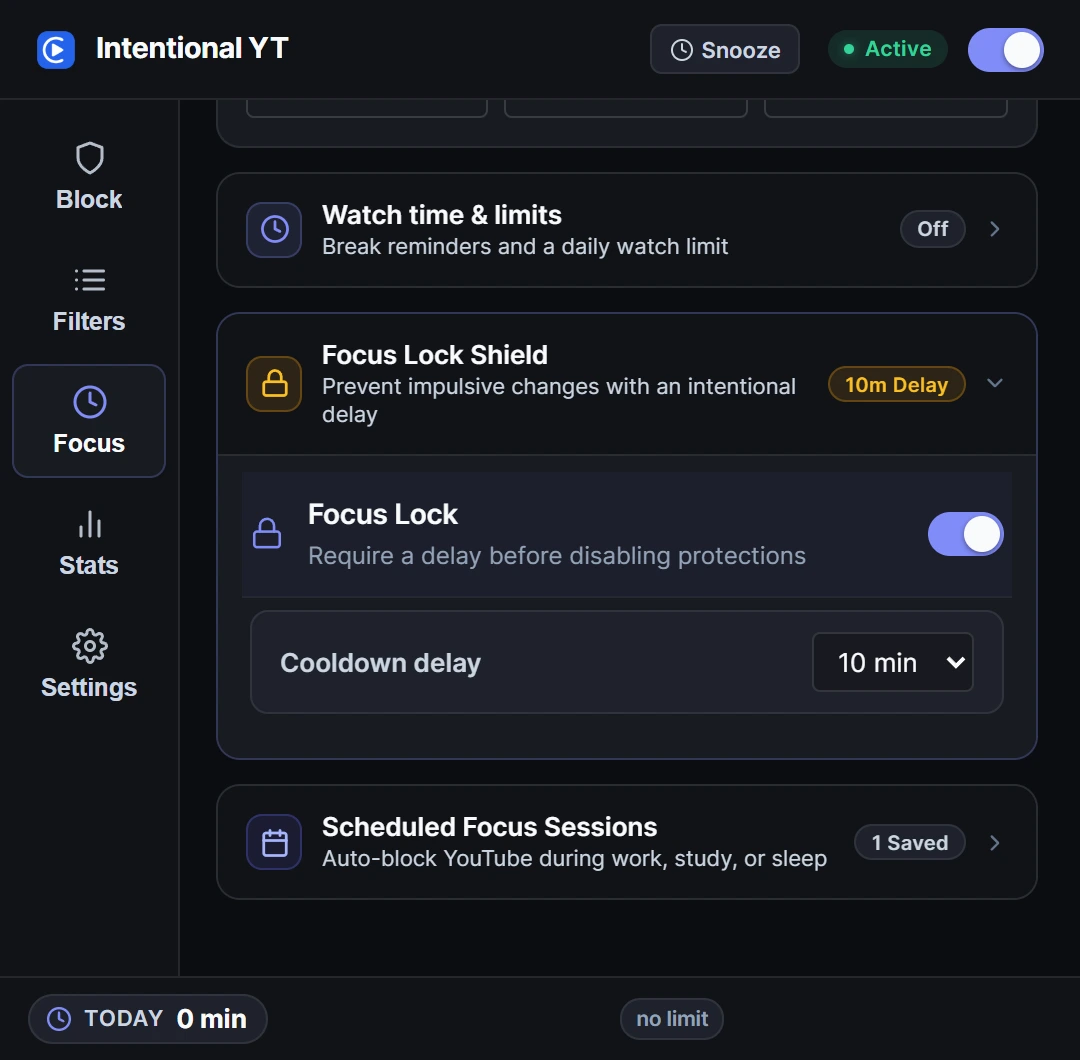
Set up Focus Lock in Chrome, Firefox, or Edge
- Install Intentional YT in your desktop browser and open YouTube.
- Open the extension popup from your toolbar and select Focus.
- Under Focus Lock, toggle the switch on.
- Enter a 4 to 8-digit PIN, then enter it again to confirm.
- Choose your cooldown duration. A 10-minute cooldown is a practical starting point: long enough for an impulse to pass, without making planned adjustments frustrating.
- Click Set PIN. Focus Lock is now active.
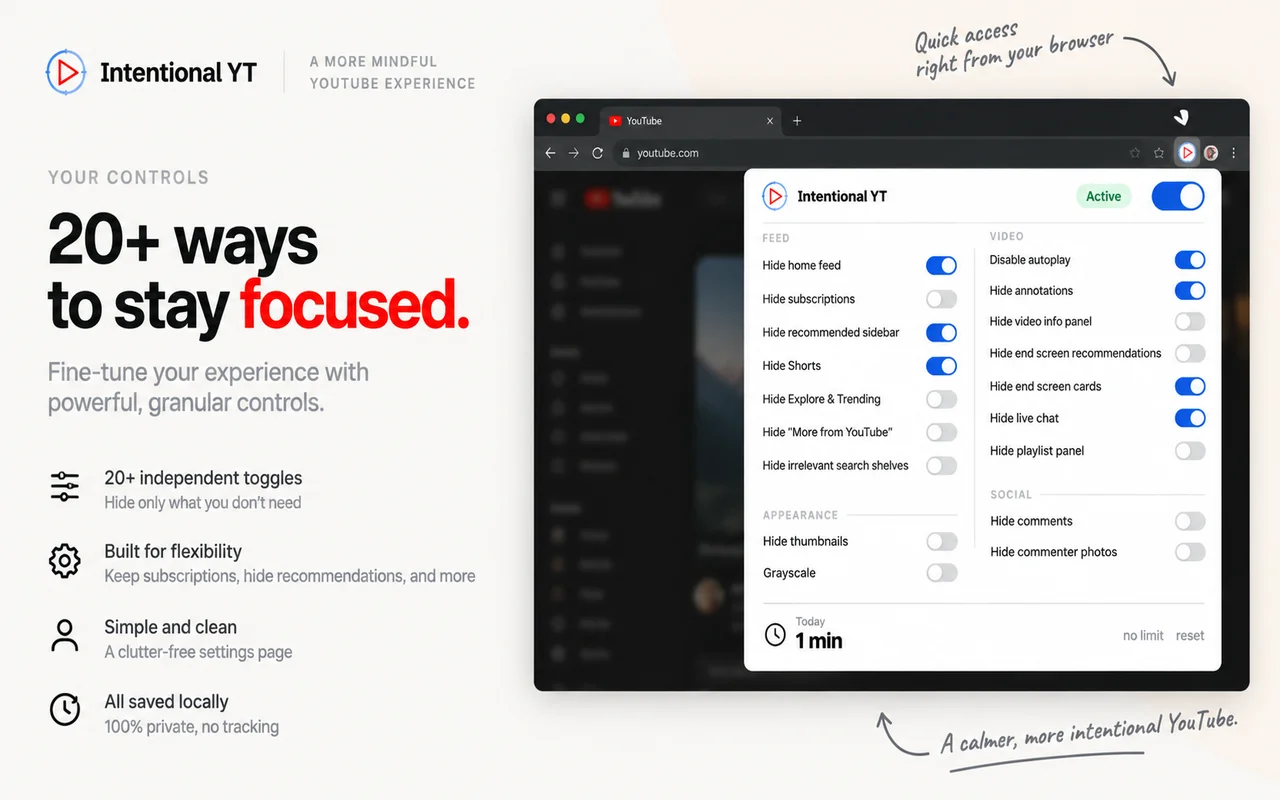
How cooldown unlock works in practice
To test how it behaves:
- Try turning off a protected setting, such as Hide Home Feed or Block Shorts.
- Enter your PIN when prompted.
- The popup displays the countdown (for example, Unlocks in 10 minutes).
- The setting remains locked until the countdown reaches zero.
- If you change your mind during the wait, click Cancel Unlock to keep your protections active.
What Focus Lock protects
| Action | Needs PIN and cooldown? |
|---|---|
| Turning off feed blocks (Home, Shorts, Comments) | Yes |
| Turning on new feed blocks | No (applies instantly) |
| Raising or disabling a daily watch budget | Yes |
| Lowering a daily watch budget | No (applies instantly) |
| Removing creators or keywords from your blocklist | Yes |
| Adding new creators or keywords to your blocklist | No (applies instantly) |
| Turning off Focus Lock or lowering the cooldown time | Yes |
Practical limits to keep in mind
Focus Lock is designed to prevent impulsive toggling in moments of low energy. It is not parental control software or an enterprise management policy.
Standard browser security rules prevent extensions from blocking their own removal, so Intentional YT cannot stop you from opening chrome://extensions and deleting the extension. It also only covers the desktop browser where it is installed.
If you tend to uninstall blockers during late-night browsing sessions, consider having a friend or study partner set the PIN. Since you can always make rules stricter without entering the code, you can still add new blocks whenever you need them.
Frequently asked questions
What if I forget my PIN?
Intentional YT stores all settings locally on your computer with no account system or remote recovery. If you forget your PIN, you will need to uninstall and reinstall the extension through your browser's extension manager. Reinstalling resets all preferences and watch statistics to their defaults.
Can I cancel an unlock request during the cooldown?
Yes. Open the extension popup while the countdown is running and click Cancel Unlock. The timer stops and all protections stay locked.
Does Focus Lock block YouTube entirely?
No. Focus Lock only protects your settings from being toggled off on impulse. You can still browse and watch videos that aren't blocked by your rules. If you need YouTube shut off completely during work or study blocks, use Scheduled Blocking.
To see how Intentional YT compares with other extensions, read our comparison of Intentional YT, Unhook, and UnTrap. You can also test the popup controls in the interactive demo on the homepage.
Try Intentional YT
Set a daily watch limit, hide distracting feeds, or use Focus Lock to add a cooldown before changing your settings. Your settings and watch-time counters stay in your browser, with no extension telemetry.