How to replace clickbait YouTube thumbnails with neutral video frames
When you open YouTube to look for a technical explanation or a repair guide, the visual presentation can feel exhausting. Video cards are packed with wide-eyed expressions, neon borders, red arrows pointing at empty space, and titles typed in ALL CAPS.
Creators use these tactics because YouTube's recommendation algorithm rewards high click-through rates. Even creators who make high-quality educational content often feel forced to use aggressive thumbnails just to compete for attention.
I am Manas, the developer of Intentional YT. In this guide, I will show you how to swap custom clickbait thumbnails for clean, neutral frames taken directly from the video, and how this works without sending your browsing data to external servers.
The problem with custom thumbnails
A custom thumbnail is marketing artwork. It is designed to create a curiosity gap or provoke an emotional reaction before you have read what the video is about.
This creates several practical problems when you are trying to use YouTube productively:
- Visual fatigue: Scanning a page filled with dozens of saturated, high-contrast faces makes it harder to find the actual topic you need.
- Misleading expectations: The thumbnail often portrays a dramatic moment that either never happens in the video or lasts for two seconds out of twenty minutes.
- Distraction from your original intent: You open YouTube to watch a 10-minute programming tutorial, but an outrageous thumbnail pulls you into an unrelated rabbit hole.
How declickbaiting works: community APIs vs. local frames
If you have researched clickbait removers before, you have probably heard of DeArrow. DeArrow takes a crowdsourced approach: users submit neutral titles and select representative thumbnail frames, which are stored on an external server and downloaded by the extension when you browse.
DeArrow works well for popular viral videos with active community submissions. However, the crowdsourced model has specific trade-offs:
- Network dependencies: Your browser makes API requests to third-party servers to fetch title and thumbnail data for each video on your screen.
- Incomplete coverage: Niche technical tutorials, foreign-language videos, and fresh uploads often have zero user submissions, meaning they fall back to standard clickbait until someone manually edits them.
- Server availability: If the third-party backend is slow or temporarily down, thumbnail loading can lag.
The local frame replacement approach
Intentional YT uses a different engineering method: on-device frame substitution.
Every time a video is processed by YouTube's servers, the platform generates a set of automated snapshot frames from the actual footage. These standard assets include hq1.jpg, hq2.jpg, and hq3.jpg. Specifically, hq2.jpg is a frame captured from the exact midpoint (around 50%) of the video timeline.
Instead of calling an external server, Intentional YT swaps the custom uploaded hqdefault.jpg with the unmanipulated hq2.jpg frame right inside your browser.
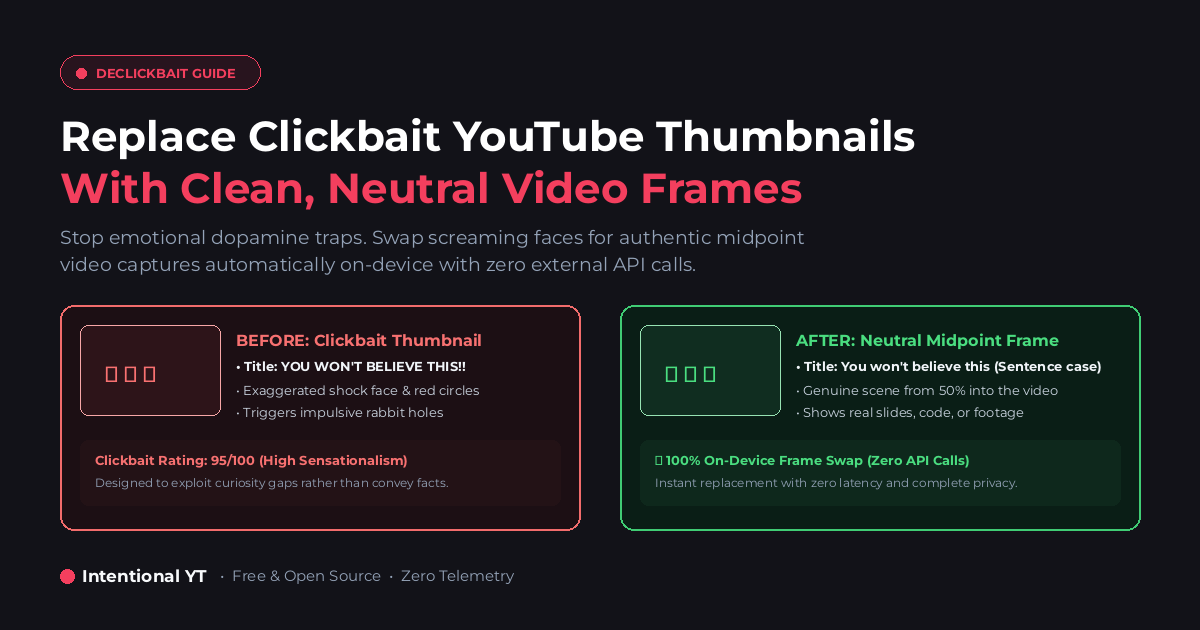
Because this substitution happens entirely on your machine:
- There are zero external API calls or third-party servers.
- It works immediately on every video, including obscure programming tutorials and brand-new uploads.
- It operates with zero latency, so there is no layout jump while waiting for community data.
What neutral thumbnails look like in practice
When you turn on neutral thumbnails, the visual tone of YouTube changes immediately.
Instead of a creator posing with an exaggerated expression, you see an honest screenshot from the video itself. If you are browsing programming tutorials, you will see code editors, terminal windows, and presentation slides. If you are looking at cooking or woodworking videos, you will see the actual ingredients or workbench.
Along with the image swap, Intentional YT normalizes video titles. Titles written in aggressive ALL CAPS are converted to clean, readable sentence case. The combination strips away the synthetic urgency and lets you judge videos by their actual subject matter.
How to enable neutral thumbnails in Intentional YT
You can turn this on with a single toggle in the extension:
- Install Intentional YT for your desktop browser (Chrome, Edge, Brave, or Firefox).
- Click the Intentional YT icon in your browser toolbar to open the settings popup.
- Open the Filters section.
- Turn on Neutral thumbnails (anti-clickbait).
- Refresh any open YouTube tabs to apply the change.
Popup Navigation:
└── Filters
    └── Neutral thumbnails (anti-clickbait): ON
Honest trade-offs of using automated video frames
While replacing clickbait thumbnails creates a calmer browsing environment, there are a few practical trade-offs to keep in mind:
- Random capture moments: Because
hq2.jpgis captured automatically at the 50% mark of the video, it might occasionally capture a speaker mid-sentence or mid-blink. - Slide-heavy presentations: For recorded lectures or webinars, the middle frame might simply show a slide of text. While less flashy, most students and researchers find this preferable to exaggerated graphics.
- Sponsored title cards: In rare cases where a video has a prolonged sponsor segment directly in the center of its duration, the midpoint snapshot might display that segment.
To test specific titles against known emotional triggers or import a pre-compiled filter list of 60+ clickbait words, explore the free YouTube clickbait keyword filter list and tester or the full Tools Library.
If you find that an honest snapshot helps you pick videos based on substance rather than emotional bait, the setting gives you a straightforward way to quiet down the visual noise.

Try Intentional YT
Set a daily watch limit, hide distracting feeds, or use Focus Lock to add a cooldown before changing your settings. Your settings and watch-time counters stay in your browser, with no extension telemetry.