Top 5 open-source YouTube extensions that don't track your browsing history (2026)
When you install a browser extension that modifies YouTube, you are granting that extension access to sensitive personal data. Extensions with access to YouTube can read every video you open, log your search queries, see the comments you type, and track how long you stay on each page.
Over the years, several well-known browser add-ons have been quietly sold to marketing companies or updated with telemetry trackers. Even popular tools sometimes include surprises. For example, the Chrome Web Store distribution of Improve YouTube! has historically bundled Google Analytics scripts into its build.
If you care about digital privacy or follow communities like r/degoogle and r/privacy, you need to know which extensions actually respect your data.
I am Manas, the creator of Intentional YT. In this guide, I review five open-source YouTube tools with clean privacy records, explain what permissions they request, and show you how to verify whether an extension is phoning home.
How browser extensions can compromise your privacy
To change how YouTube looks or functions, an extension typically requests permission to access *://*.youtube.com/*.
In technical terms, this grants the extension's content scripts the ability to read and modify the entire webpage Document Object Model (DOM). That permission is necessary for any extension that hides a recommendation feed or resizes a player. However, an unethical developer could abuse that same permission to:
- Log your watch history and export it to a remote database.
- Record the search terms you enter in the search bar.
- Inject affiliate tracking tags into video description links.
- Profile your viewing habits across browser sessions.
Because of this risk, closed-source extensions that refuse to publish their code should be approached with caution.
5 audited open-source YouTube extensions
The following tools are open-source, maintained publicly on GitHub, and do not sell your browsing activity to third-party ad brokers.
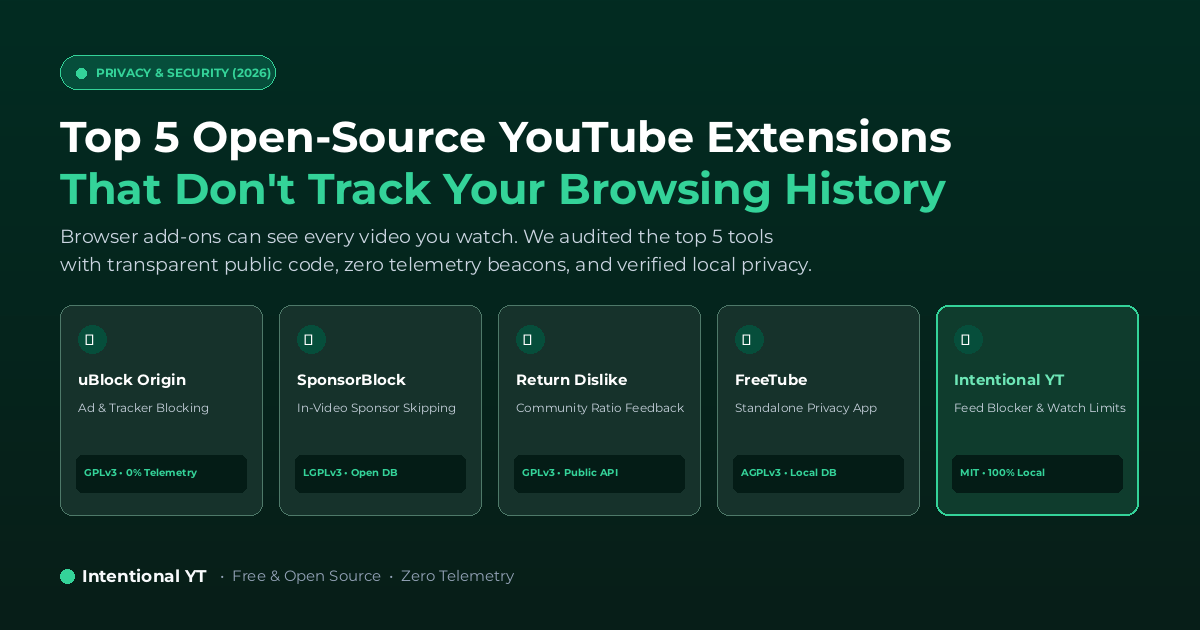
1. uBlock Origin: network-level ad and tracker blocking
- Primary role: Content filtering and ad blocking
- Repository: gorhill/uBlock
- Telemetry: None (0%)
- License: GPLv3
uBlock Origin is the baseline tool for private web browsing. It blocks advertisements, cross-site trackers, and coin-miners before they even download to your browser. Raymond Hill (gorhill) maintains the project under strict principles: no corporate donations, no "acceptable ads" programs, and zero telemetry collection. If you use YouTube on desktop, running uBlock Origin is essential for privacy.
2. SponsorBlock: crowdsourced sponsor skipping
- Primary role: Skipping in-video sponsorships, intros, and filler
- Repository: ajayyy/SponsorBlock
- Telemetry: None (requests segment timestamps from an open database)
- License: LGPLv3
Created by Ajay Ramachandran, SponsorBlock lets viewers skip paid promotions, subscribe reminders, and intro sequences that creators bake directly into video files. The extension queries a public database for segment timestamps. Your browser submits the video ID to fetch segment data, but it does not transmit your personal account information or full browsing history. The database and backend server code are completely open-source.
3. Return YouTube Dislike: restoring community feedback
- Primary role: Re-enabling public dislike counts
- Repository: Anarios/return-youtube-dislike
- Telemetry: Anonymized video ID queries
- License: GPLv3
When YouTube hid public dislike numbers in late 2021, it became harder to spot outdated programming tutorials or misleading guides. Return YouTube Dislike calculates estimated dislike counts using archived public data combined with active extension user votes. While it sends the current video ID to its API to fetch counts, it does not track personal user profiles or sell viewing records.
4. FreeTube: standalone private desktop player
- Primary role: Full YouTube desktop app without Google tracking
- Repository: FreeTubeApp/FreeTube
- Telemetry: None (0%)
- License: AGPLv3
FreeTube is not a browser extension; it is an open-source desktop application for Windows, Mac, and Linux. It allows you to watch YouTube content without a Google account while keeping your subscriptions and watch history entirely in a local SQLite database on your computer. FreeTube uses local HTML scraping or the Invidious API, preventing Google's trackers from building a profile on your machine.
5. Intentional YT: distraction blocking, daily limits, and local filters
- Primary role: Decluttering feeds, anti-doomscroll caps, channel filters, and focus timers
- Repository: manasdotio/intentional-yt
- Telemetry: None (0%)
- License: MIT
I built Intentional YT with a strict architectural rule: zero npm dependencies and zero external network calls. All your preferences, channel blocklists, and daily watch timers stay inside your browser using chrome.storage.local.
The extension does not include Google Analytics, Sentry error trackers, or remote configuration servers. It injects high-specificity CSS at document_start to hide Shorts, home feeds, and sidebars without flickering. It also lets you limit the home feed to 15 videos, replace clickbait thumbnails with neutral video frames, and lock your setup behind a PIN with a cooldown delay.
Extension privacy comparison
| Extension | Primary focus | Open source | Telemetry | Data storage |
|---|---|---|---|---|
| uBlock Origin | Ad and script blocking | Yes (GPLv3) | None | Local browser |
| SponsorBlock | Sponsor skipping | Yes (LGPLv3) | None (Timestamp queries) | Public open DB |
| Return YouTube Dislike | Restoring dislike stats | Yes (GPLv3) | Anonymized ID lookup | Community API |
| FreeTube | Desktop app player | Yes (AGPLv3) | None | Local SQLite |
| Intentional YT | Feed blocker and watch limits | Yes (MIT) | None | Local browser |
How to audit an extension yourself
You do not have to rely solely on developer promises. You can check an extension's behavior directly in your browser.
1. Inspect the manifest.json permissions
Every browser extension includes a configuration file named manifest.json. Look for the permissions and host_permissions fields.
If an extension claims to be a simple YouTube theme or feed blocker, but requests <all_urls>, cookies, or access to domains outside youtube.com, you should investigate why it needs that level of authority.
2. Check the browser Network tab
Open YouTube in Chrome or Firefox, press F12 to open Developer Tools, and switch to the Network tab. Filter by Fetch/XHR.
Reload the page and watch the outgoing requests. If you notice requests heading to analytics endpoints (such as google-analytics.com, segment.io, or unfamiliar third-party tracking domains) that are not initiated by YouTube itself, an installed extension may be transmitting telemetry in the background.
3. Verify zero-dependency source code
Extensions that run on zero external packages are easier to audit because you can read the plain JavaScript files directly in the browser's extension directory. When an extension bundles hundreds of minified npm modules, auditing what each library does becomes significantly harder.

Try Intentional YT
Set a daily watch limit, hide distracting feeds, or use Focus Lock to add a cooldown before changing your settings. Your settings and watch-time counters stay in your browser, with no extension telemetry.